
Alexa, Google Home, Siri Shape Room Flow, Usability & Privacy
Voice assistants transform living spaces by replacing manual controls with fluid, conversational interfaces. They reshape how we move, interact, and even feel in our rooms.
This article combines advanced usability metrics, hands-free workflows, multi-room automation, device‐specific strengths, and emerging privacy profiles to give you a complete picture of modern voice-enabled room design.
What makes modern voice usability metrics essential?
Traditional scales like SUS limit insights in voice interfaces. Use a subjective scale that accounts for voice nuances. A study with 62 participants tested a new Voice Usability Scale. VUS tracks three dimensions: usability, emotion, and prompt clarity.
You measure task efficiency by asking users to adjust lights via voice. Emotional comfort emerges from satisfaction ratings on simple tasks. Prompt clarity depends on how quickly users recognize and respond to voice feedback.
How do you control rooms hands-free?
Hands-free voice control speeds up daily routines. You adjust lights and thermostats while cooking. You stream music in any room without touching a device. Surveys show 45 percent of smart speaker owners rely on voice commands for lighting and temperature control.
Accessibility rises when voice commands replace physical switches. Mobility and vision impairments become less restrictive. Room flow gains momentum as you move from task to task without breaking focus.
What role does intercom automation play?
Internal intercom features turn voice assistants into a home communication network. You speak from the living room and drop in on kitchen devices via Alexa. HomePod Intercom sends messages across every HomePod in seconds.
Broadcast announcements call everyone for meals or alerts. Routines like ‘Dinner ready’ reach all connected devices at once. Your household runs on seamless communication.
How does multi-room control and spatial audio enhance immersion?
Zoned commands let you target specific rooms. You ask Google to turn on kitchen lights without affecting other areas. HomePod’s spatial audio adjusts sound based on your head orientation.
Assistants learn habits and suggest routines. Efficiency jumps as proactive suggestions appear on your screen or speaker. Sound quality and room flow merge into an immersive experience.
Which differences set Alexa, Google Home, and Siri apart?
Alexa’s ecosystem spans thousands of skills and devices. Users build complex routines but learn skill-specific phrases. Amazon focuses on device compatibility.
Google Assistant excels at natural language and context. Google Home supports the Matter standard for broad device integration. Information queries tap into Google’s search engine.
Siri runs tasks within Apple’s ecosystem. HomePod stays private through on-device processing. Apple limits profiling and keeps your data local.
What privacy flows hide behind convenience?

Alexa tags you based on product interest and usage signals. Advertisers target recommendations using those tags. Users see personalized ads that match voice queries.
Apple claims no long-term data storage for Siri commands on HomePod. Local processing keeps your requests out of cloud servers. Privacy-conscious users trust that approach.
Google Assistant creates inconsistent tags like income level and relationship status. Profiling errors may misrepresent you. Privacy concerns rise when third parties access those tags.
How can you optimize room design for voice interaction?
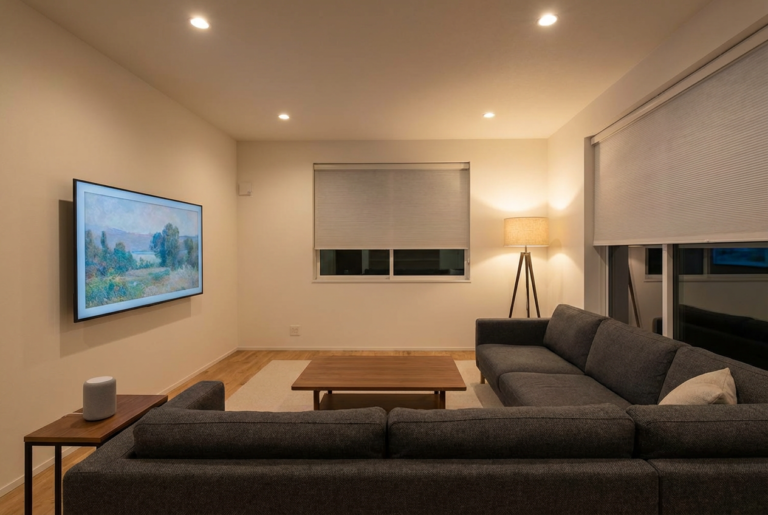
Device placement matters in room acoustics. You position units near high-traffic areas and away from noise. Echo-friendly materials like curtains and rugs reduce reverberation.
Visual cues guide users and guests when devices listen. LED rings or subtle signage signal active listening modes. You ensure comfort and clarity.
Accessibility zones require full voice coverage. You test commands at various distances. Adjust microphone sensitivity to capture soft or rapid speech.
Conclusion
Voice assistants reshape your rooms and routines. Combining usability testing, hands-free flows, automation, and privacy awareness leads to smarter designs. You can craft spaces that feel responsive, inclusive, and secure.
FAQs
What makes the Voice Usability Scale unique?
You test VUS with 62 participants to validate its three dimensions. You measure task efficiency through voice commands. You assess emotional comfort during interactions. You evaluate prompt clarity with response-time metrics.
How do voice assistants enhance accessibility?
You gain hands-free control over lights, temperature, and media. You remove barriers for users with mobility or vision challenges. You foster inclusive spaces where everyone can issue commands.
Can voice assistants replace physical controls?
You simplify most tasks with voice commands alone. You keep manual switches for power cuts and network failures. You balance voice and button controls to ensure reliability.
What privacy risks arise from voice profiling?
You share behavioral data every time you speak. You expose product interests that fuel targeted ads. You require clear settings and informed consent to stay secure.
How do multi-room features differ across assistants?
You use Alexa’s Drop In and broadcast announcements. You rely on Google Home’s zoned commands and Matter support. You connect rooms through Siri’s HomePod Intercom.
How do you optimize device placement for clarity?
You place devices near high-traffic areas and away from noise. You add rugs and curtains to absorb echoes. You avoid corners to capture every command accurately.
Which routines improve room flow and usability?
You trigger Good Morning to set lights, thermostat, and music. You run Movie Night to dim lights and boost audio. You activate Away to lock doors and arm security systems.
Discover how to make your house feel like home at homedwellish.
About the Author